Features

Everything a lift company runs, in one system

Installs, breakdowns and servicing each follow their own stages, with the paperwork each one needs. Around them sit the proposals, the lift register, service contracts and a calendar the whole team works from.

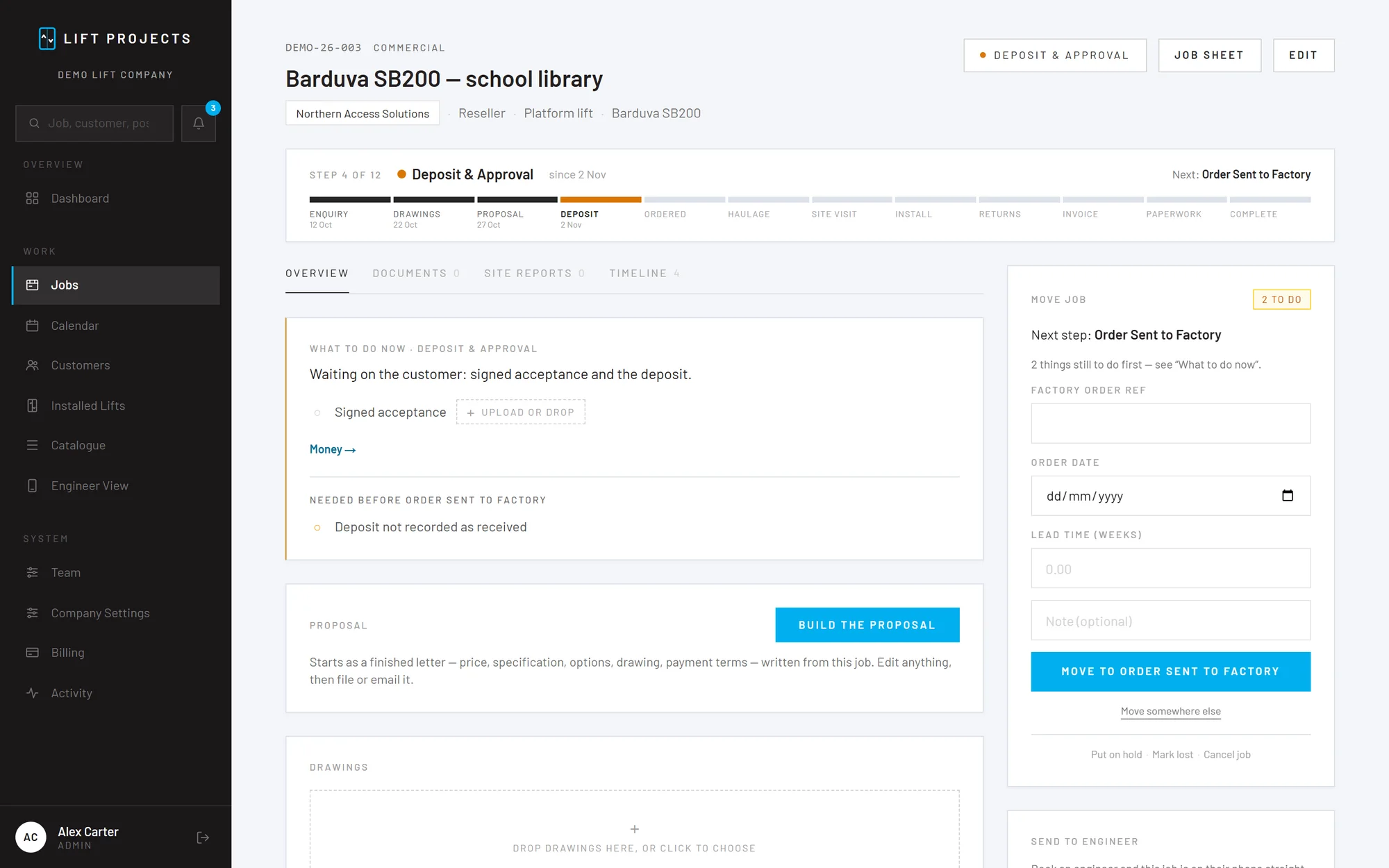
A platform lift install in the app: the stage bar, what to do now, and the next step
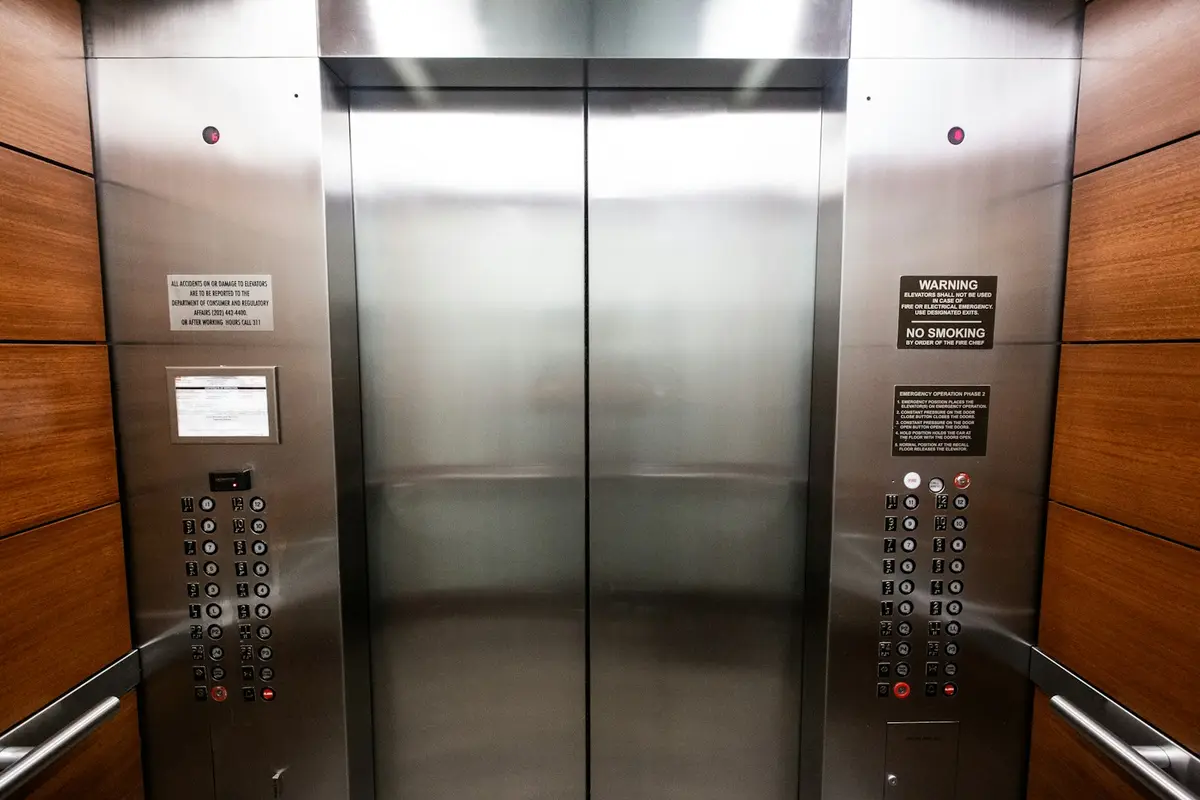
Stainless steel lift doors and landing buttons

New lift installs

From the enquiry and drawings, through the factory order and haulage, to the install and the handover paperwork. It speaks up before a job moves on with a deposit unpaid or a RAMS missing.

  • Stages from the enquiry through to the paperwork and handover
  • Proposals built from the job, sent and filed as revisions
  • A final invoice that can't be raised before the job gets there
  • Factory order, lead time, due date, then haulage booked, collected and delivered
  • Site survey and pre-install visit forms from the engineers
  • Install test and commissioning sheet, signed on site

Enquiry Drawings Proposal Deposit Factory order Haulage Install Handover

An engineer checking a relay from a lift controller

Call-outs and breakdowns

Log the call on one screen: customer, site, the lift, the fault, who's going and when. The engineer's report comes back signed, with photos, and the job is ready to invoice.

  • Customer, site, lift and fault on one screen
  • Booked to an engineer, straight onto their phone
  • Report with fault found, how it was left and hours, signed on site
  • Every call-out stays on the lift's own history

Visit booked Attended Invoice Complete

An engineer adjusting lift equipment in a workshop

Servicing and repairs

Price a repair with your cost and the customer's price side by side, send the quote, and follow every part from ordered to arrived before you book the visit.

  • Your cost and the customer's price side by side on every quote
  • Parts followed from ordered to arrived
  • Service visit sheet against the lift's own record
  • Service contracts with visits a year and LOLER intervals

Quoted Approved Parts on order Visit booked Invoice

For the office: the whole file of the job, and of the lift

Quotes, payments, orders and paperwork sit with the job they belong to, so anyone in the office can pick up the phone and answer the customer.

Someone in an office on the phone at a laptop

Proposals on your letterhead

A finished letter built from the job: specification, priced options, drawings and photos, stage payments and your terms. Send it from the app and it files itself as the next revision.

A register of every lift

Each lift you hand over keeps its specification, its install paperwork and every call-out and service visit since. Lifts you didn't install can be added too.

Service contracts and LOLER dates

Visits a year and the LOLER interval on each lift. Green in contract, amber when it's ending, red when it's lapsed, and the due dates on the calendar.

Stage payments in order

50 / 45 / 5, 50 / 50 or your own split, each with what triggers it. Deposits outstanding sit on the dashboard, and the final invoice waits until the job gets there.

Factory orders and haulage

Order reference, lead time and due date for the factory; booked, collected and delivered for the haulier. An install can't creep up on a lift that hasn't left the factory.

Resellers, builders and many sites

Customers with dozens of sites and several contacts, resellers who buy for an end user, reverse-charge VAT and CIS, all set up the way the trade works.

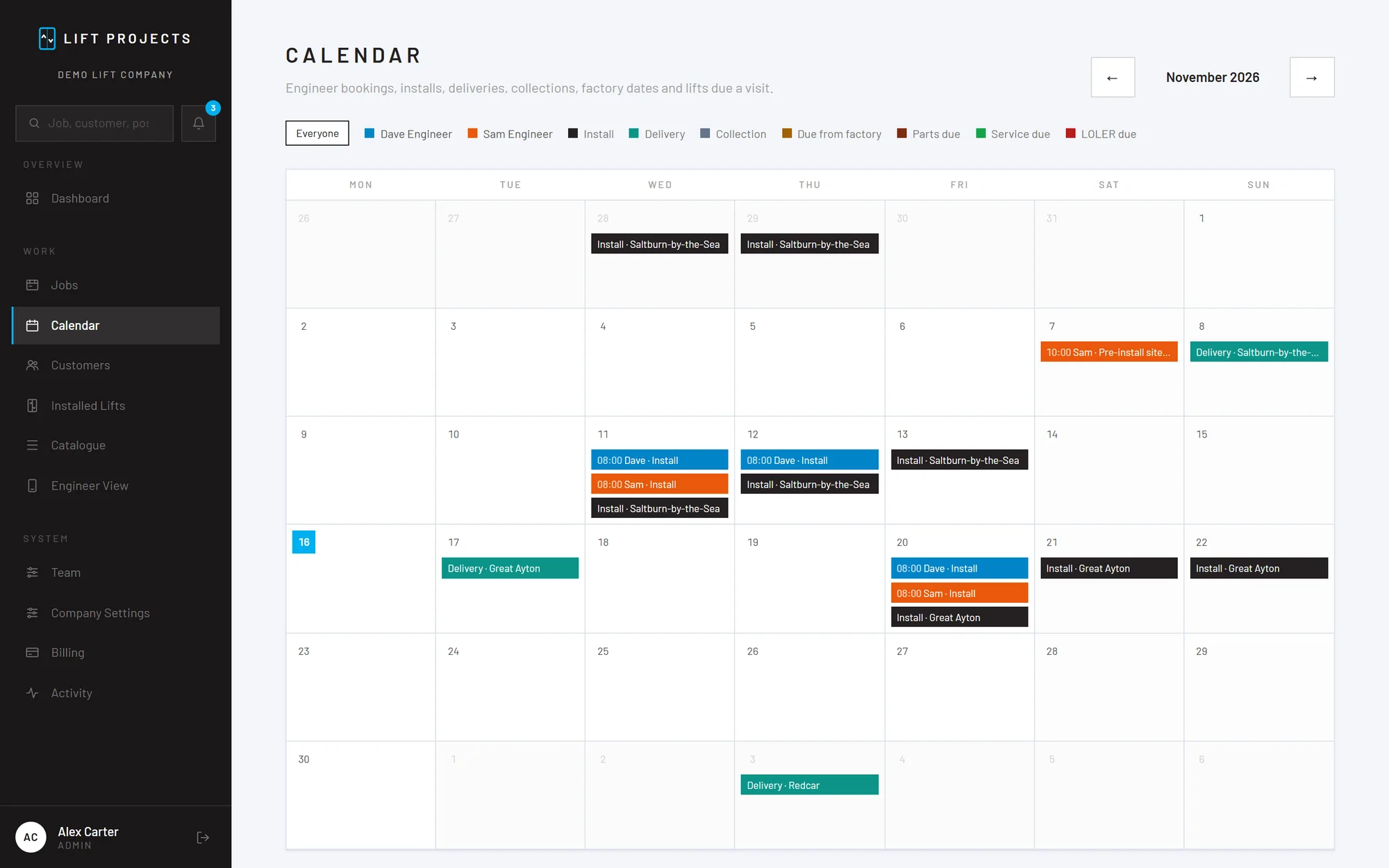
The calendar: installs, deliveries and site visits for each engineer through the month

One calendar for the whole team

Engineers' bookings, installs, deliveries and collections, factory due dates, parts and LOLER dates, coloured by engineer.

Start the day knowing what needs a look

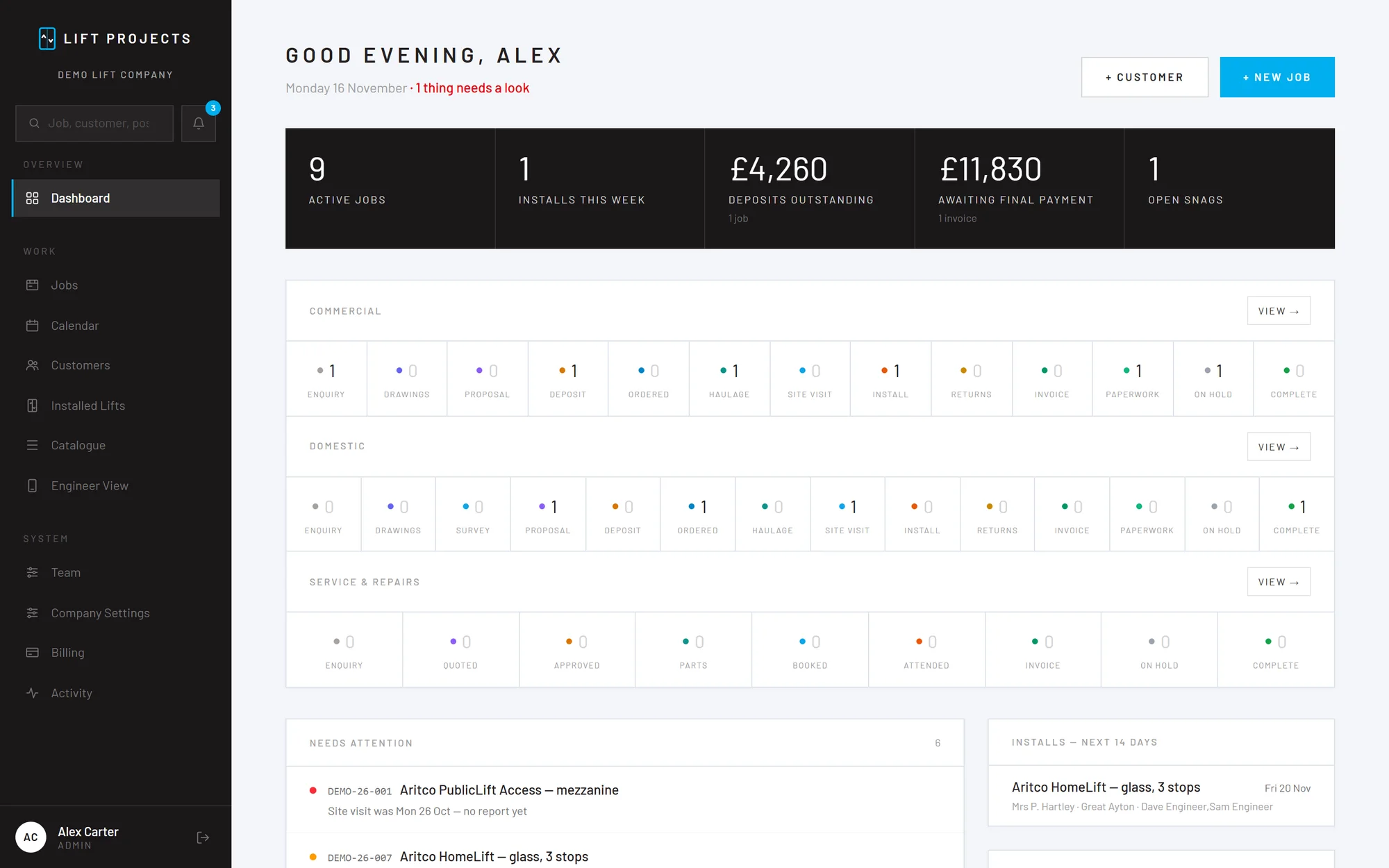
The dashboard shows active jobs, installs this week, deposits outstanding and money awaiting final payment, with every job at its stage. A summary of the day can come by email each morning.

  • @mentions between the office and engineers
  • Notifications when a form or report comes in
  • A record of who did what, and when
The Lift Projects dashboard: active jobs, installs this week, deposits outstanding and jobs at each stage

Xero, QuickBooks and Sage: coming soon

Today each stage payment on a job carries its invoice number and the dates it was raised and paid. Links to your accounts package are on the way.

Xero
QuickBooks
Sage

And for the engineers on site

Their own phone view, tick-box forms, photos and signatures.

See what engineers get

Put your next lift job on it

Create your company account, add your letterhead and log a job. If it doesn't fit how you work, cancel before the trial ends and you've paid nothing.